✨ Powered by Advanced AI

Break the Language Barrier in Global Meetings

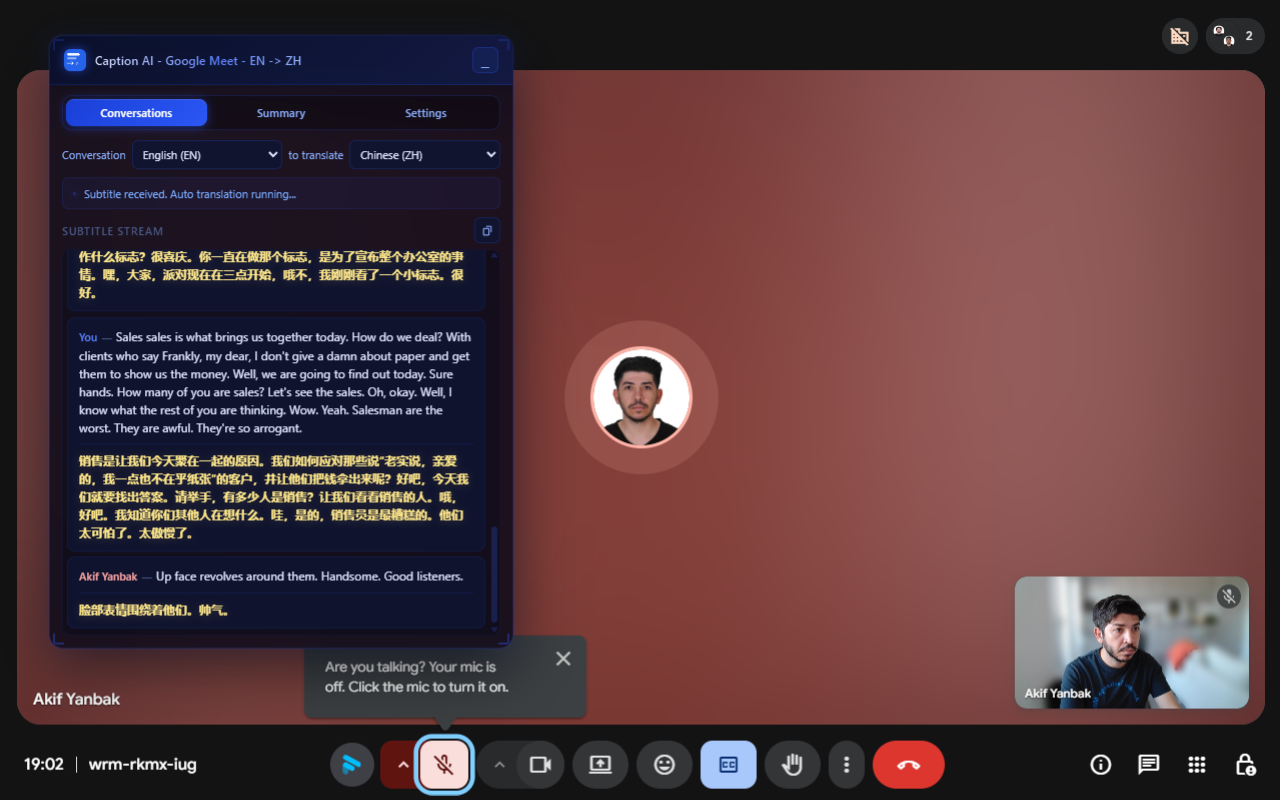
Instantly capture spoken words in Google Meet and translate them into your language of choice in real time.

Works seamlessly with

Google Meet
Zoom Coming Soon
Microsoft Teams Coming Soon
Webex Coming Soon
Slack Coming Soon
Caption AI Demo
Features that Empower You

Everything you need to understand every conversation natively.

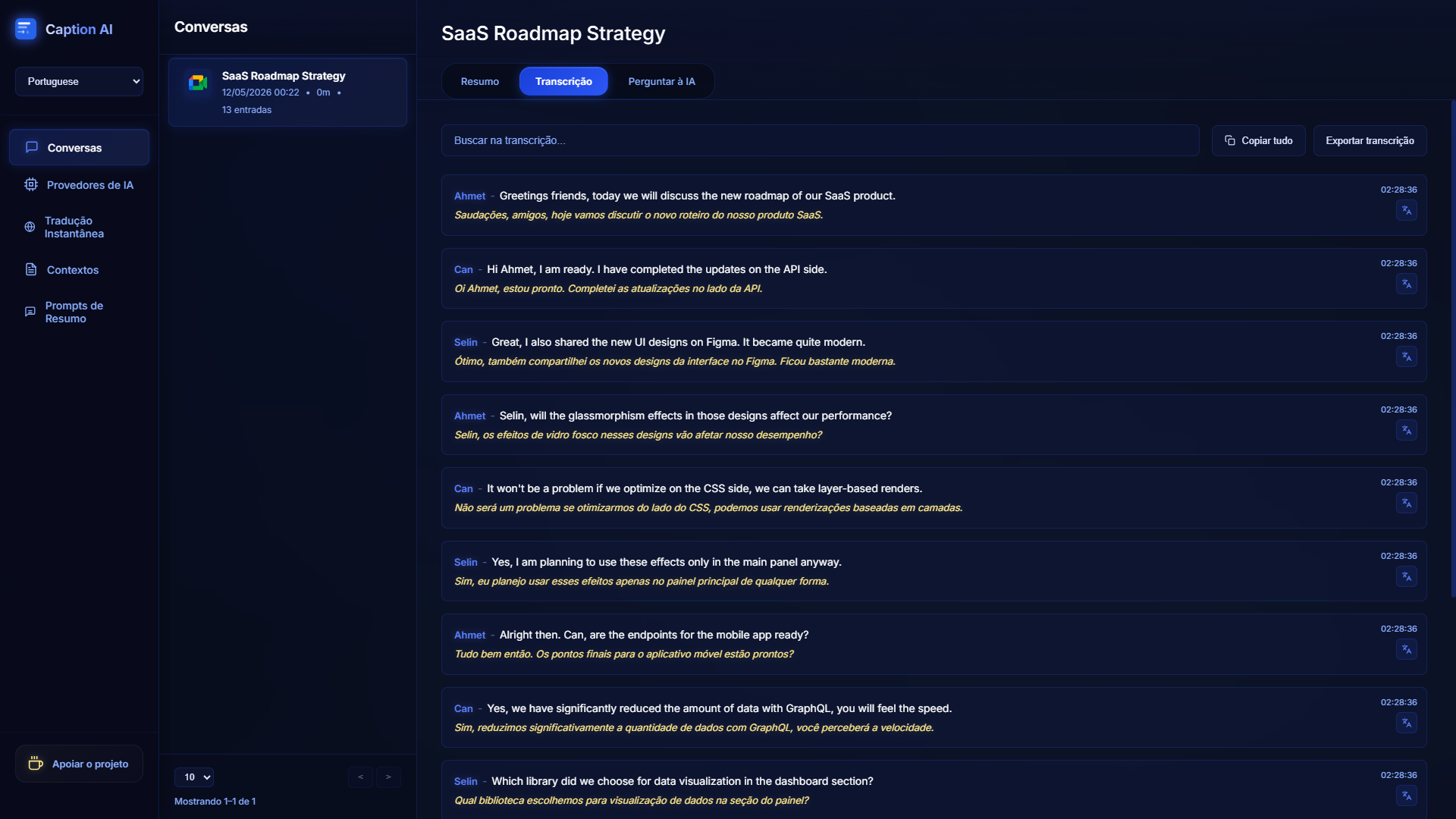
Real-Time Translation

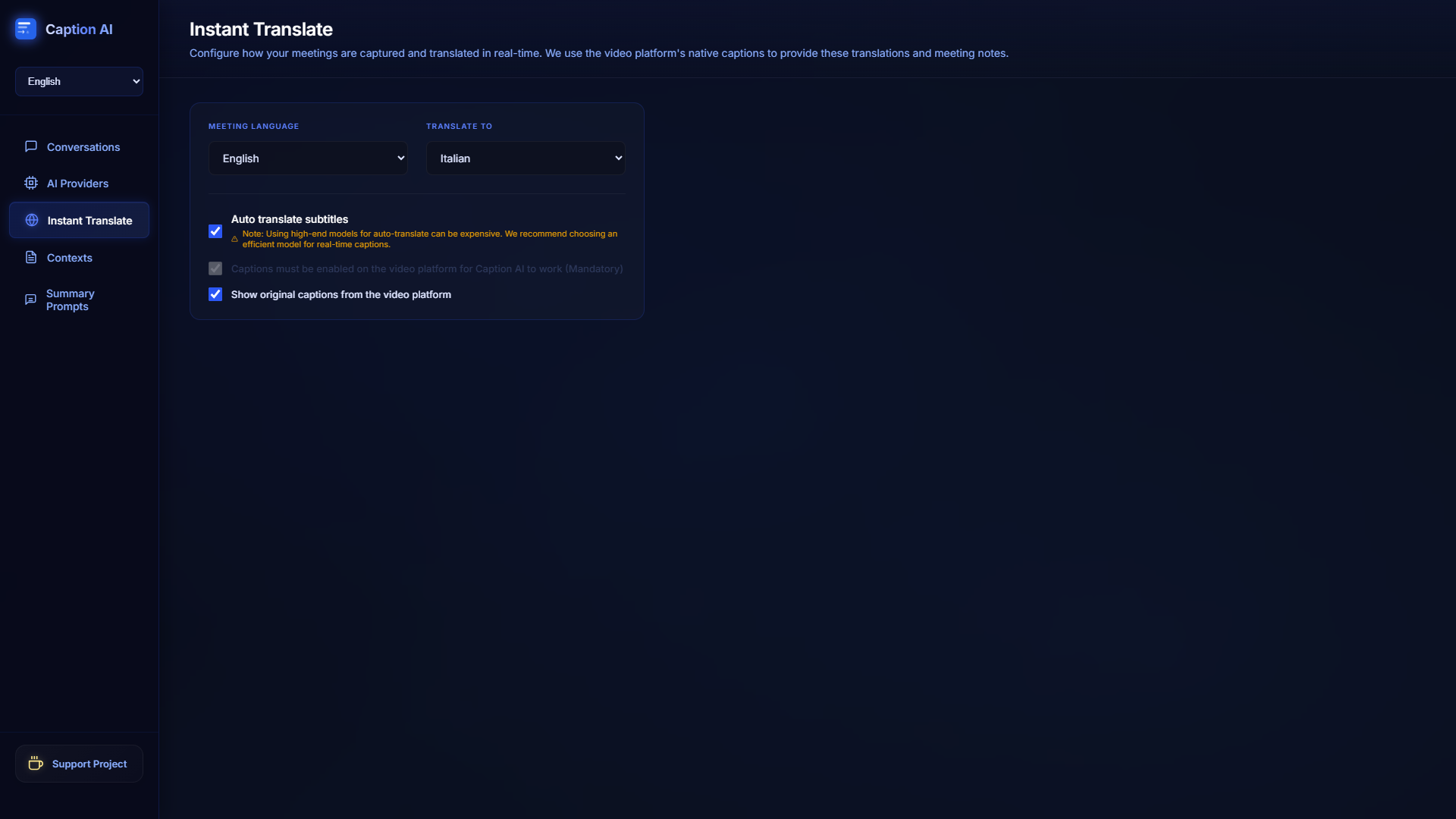
Instantly translate speech into English, Spanish, German, Japanese, Turkish, or any of the 21 supported languages.

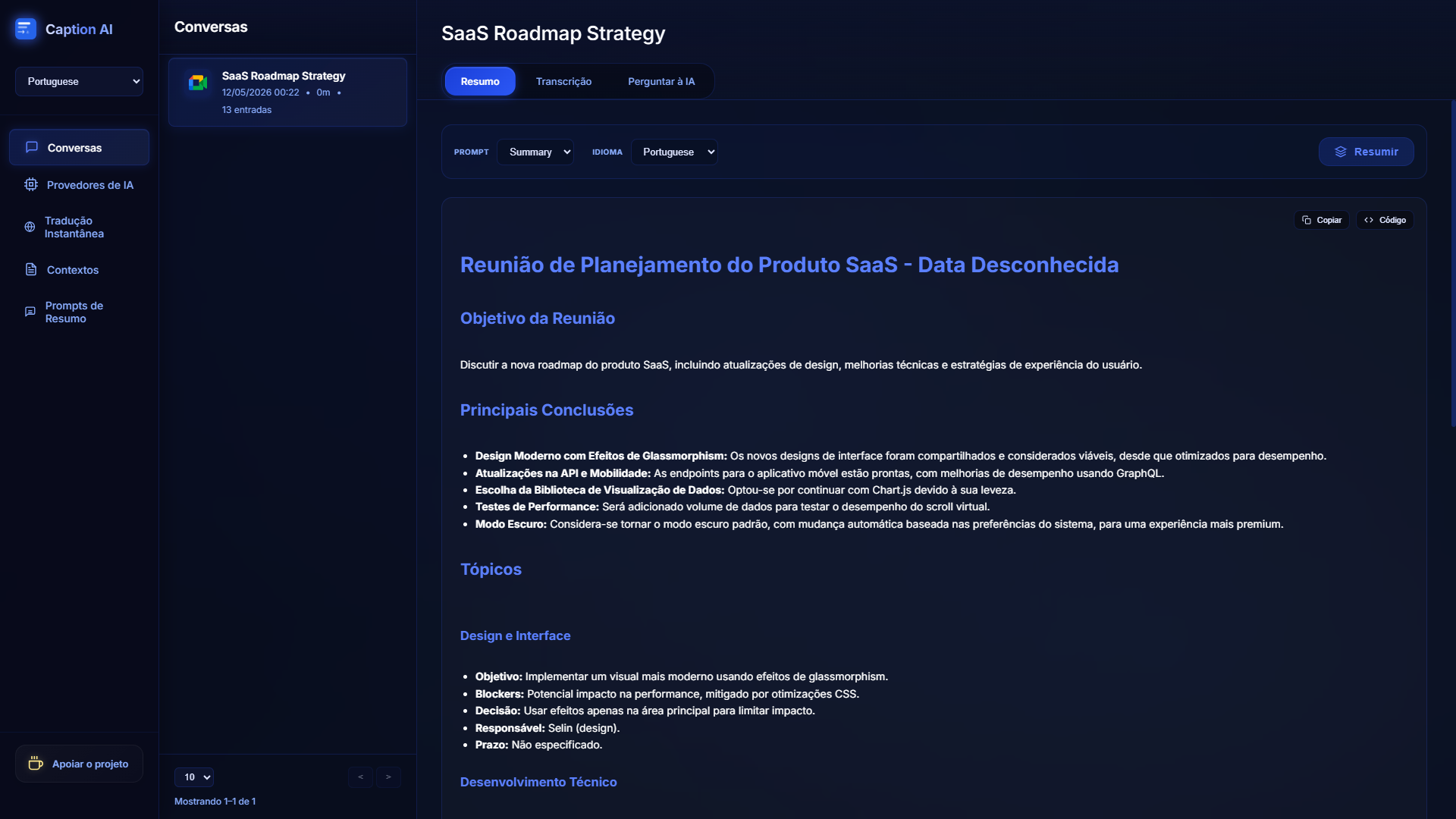
Smart Summaries

Generate intelligent, prompt-driven summaries of everything discussed with just one click at the end of your meeting.

Meeting History

Your meeting transcripts are securely saved in your browser storage. Access them anytime with a single click on the extension icon.

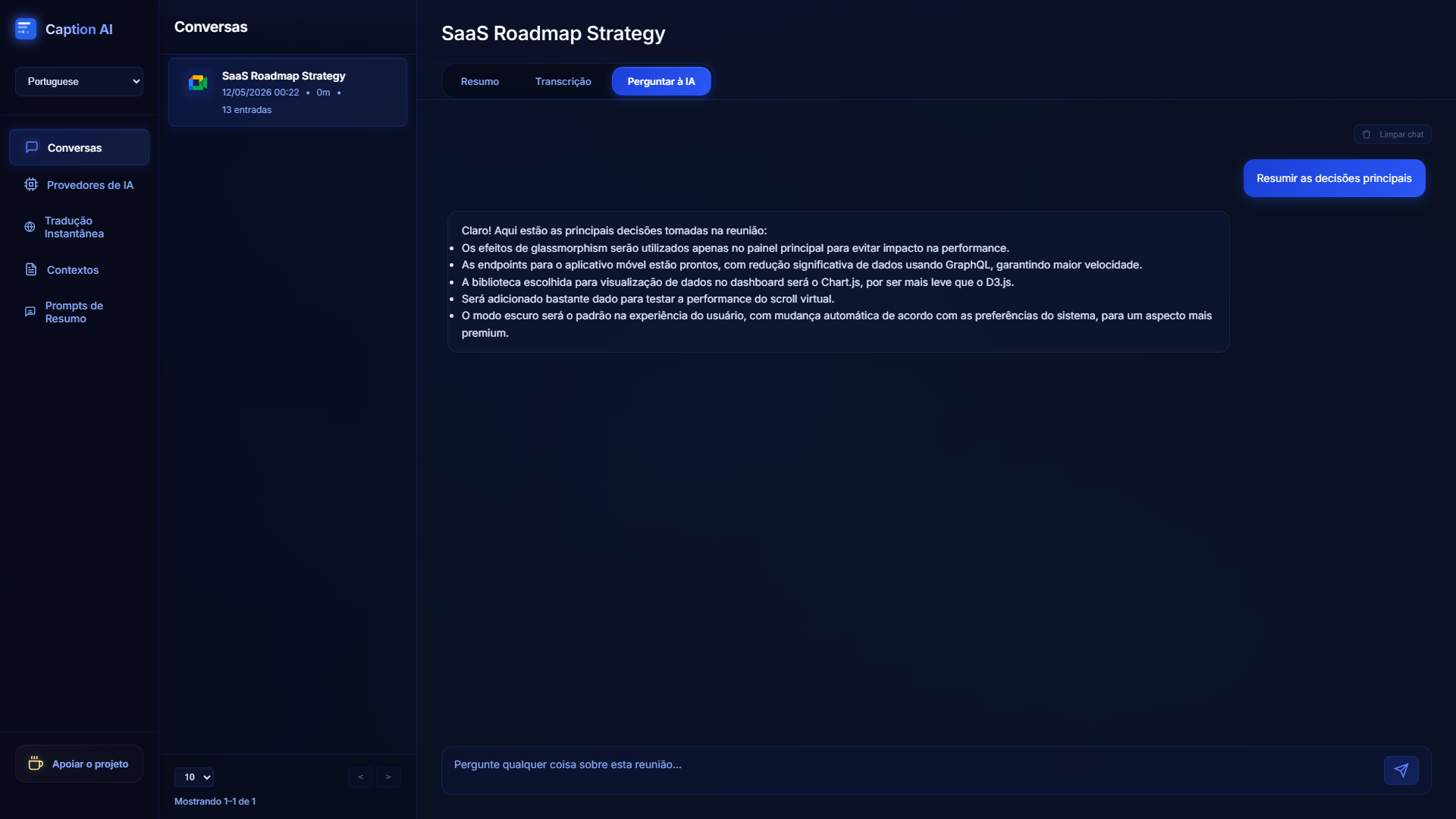
Chat with AI

Chat directly with AI using your saved meeting notes as context to extract actionable insights or ask specific questions.

Context-Aware AI

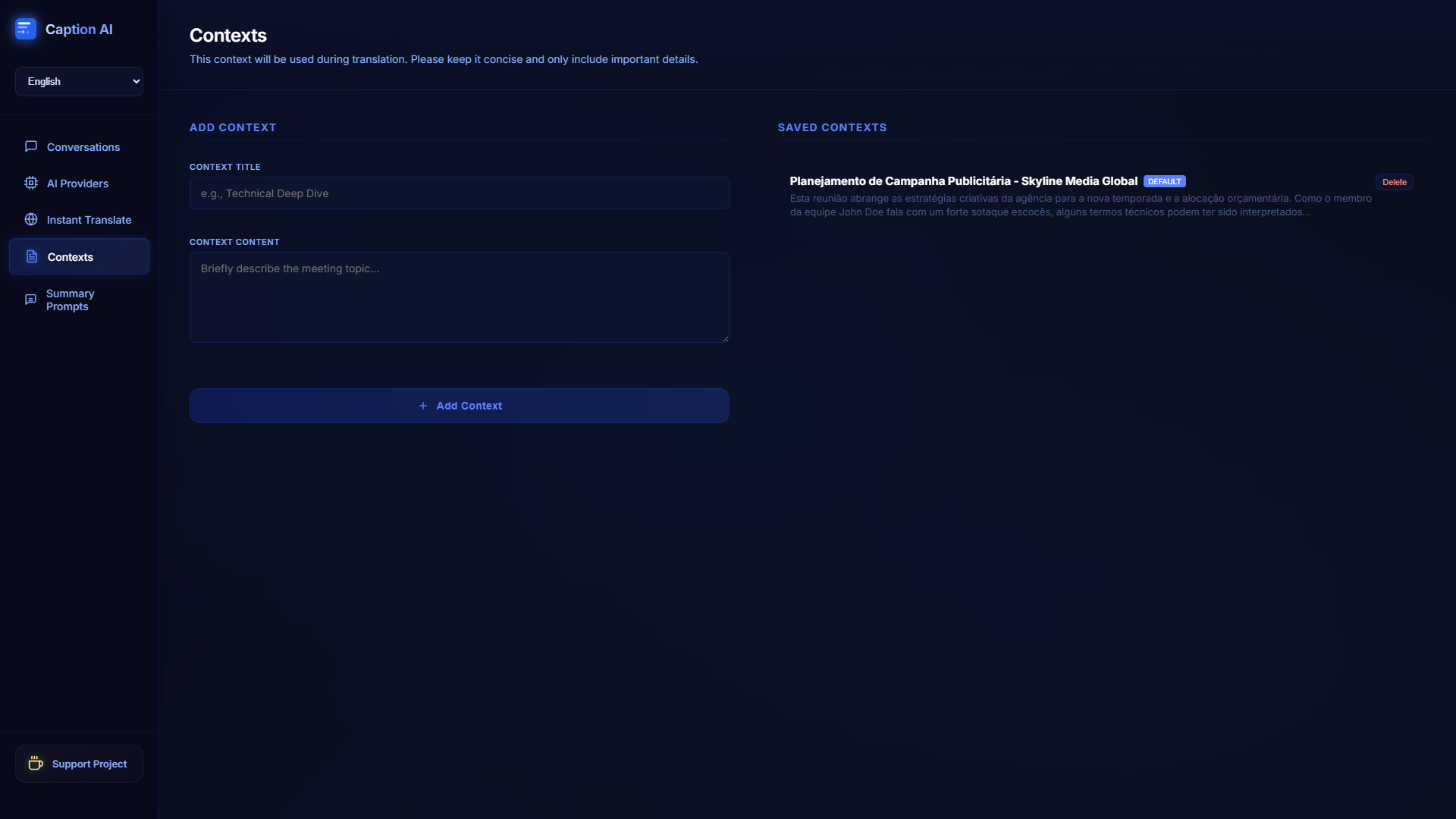
Provide meeting context so the AI translates domain-specific terms, jargon, and acronyms flawlessly.

Bring Your Own Key

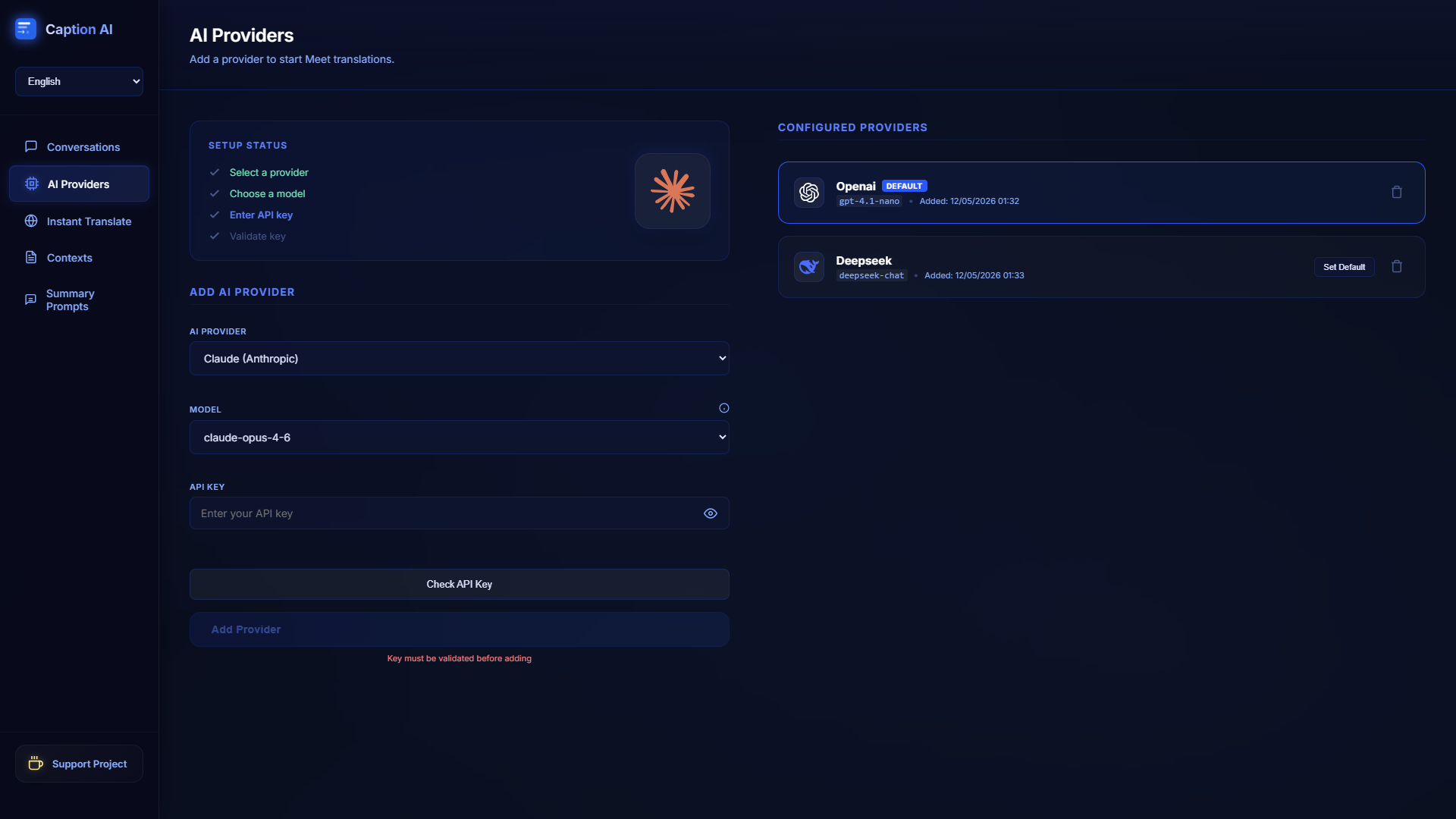
Use your own API key for OpenAI, Anthropic, Gemini, X.ai, or DeepSeek for maximum privacy and model flexibility.

OpenAI Anthropic Claude Google Gemini xAI Grok DeepSeek Perplexity

How It Works

Get started with real-time translation in three simple steps.

1

Install & Pin

Download the free Caption AI extension from the Chrome Web Store and pin it to your browser toolbar for quick access.

2

Enter API Key

Open the extension's options and securely paste the API key from your favorite AI provider (Anthropic, OpenAI, Gemini, etc.).

3

Join a Meeting

Hop into Google Meet! The extension will automatically overlay on your screen and begin translating spoken words instantly.

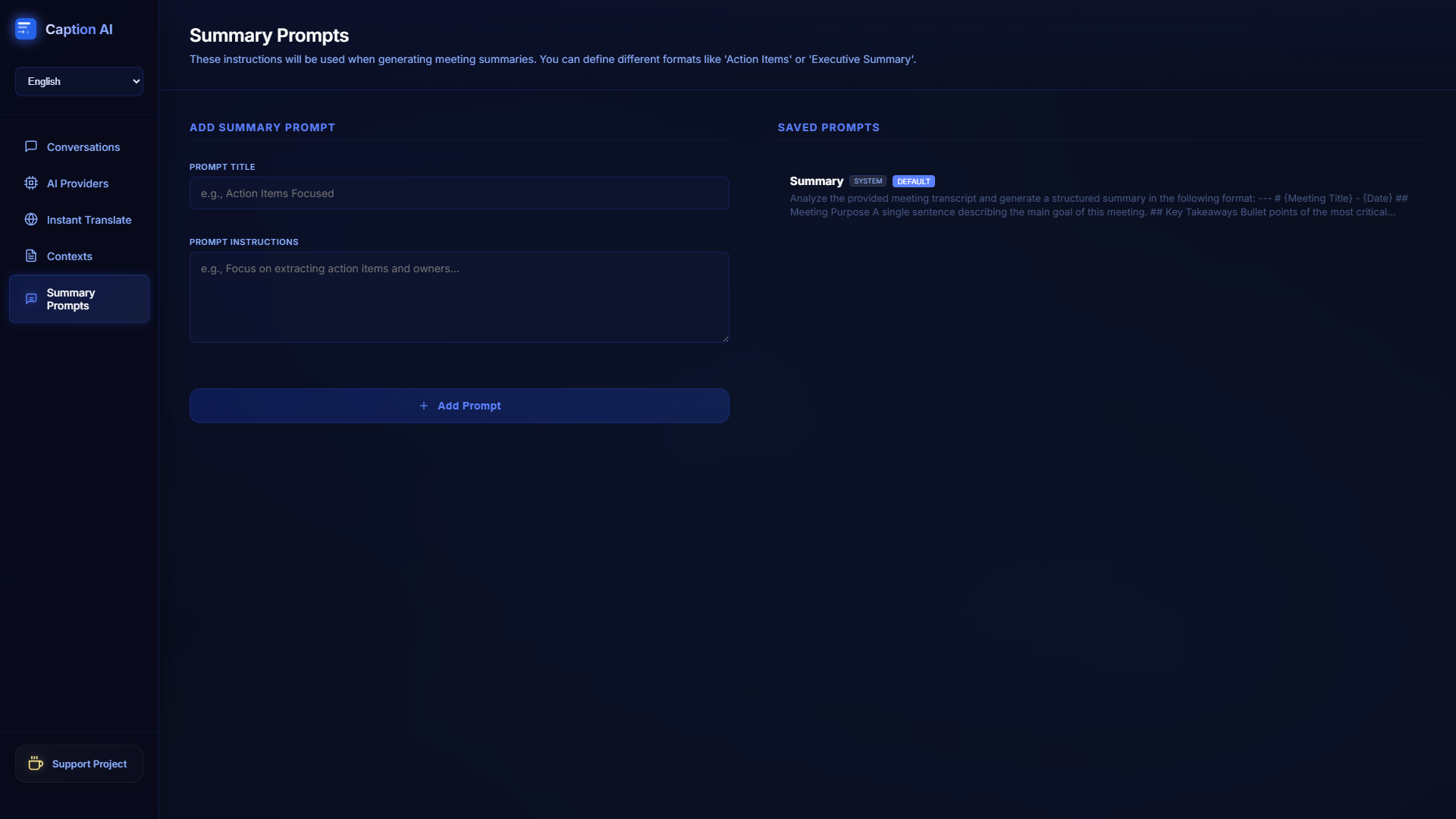
Caption AI Options

Frequently Asked Questions

Everything you need to know before joining.

Yes, the Caption AI extension is 100% free to install and use. You simply need to provide an API key from an AI provider (like OpenAI or Anthropic). Depending on your chosen provider, you may incur usage costs directly with them.

You can generate an API key by signing up directly on any of our supported developer platforms: OpenAI, Anthropic, Google Gemini, Perplexity, xAI, or DeepSeek. Once generated, simply paste it into the secure local settings panel of our extension.

Caption AI supports translating from English into exactly 21 different languages including Turkish, Spanish, German, Japanese, French, and Arabic. The interface is also fully localized.

No! Caption AI operates strictly on a "Bring Your Own Key" (BYOK) privacy model. We only capture the text generated by Google Meet's subtitle engine and securely route it to your chosen AI provider for translation. We do not store, monitor, or sell any of your meeting data.

Ready to transform your meetings?

Never miss a word again—experience every meeting natively in your language.

Add to Chrome Now